Back to browse
ccclub – See which of your friends is burning the most on Claude Code

ccclub – See which of your friends is burning the most on Claude Code

by mazzystar·Feb 17, 2026·2 points·0 comments

AI Analysis

●●SolidNiche GemSlick
The Take

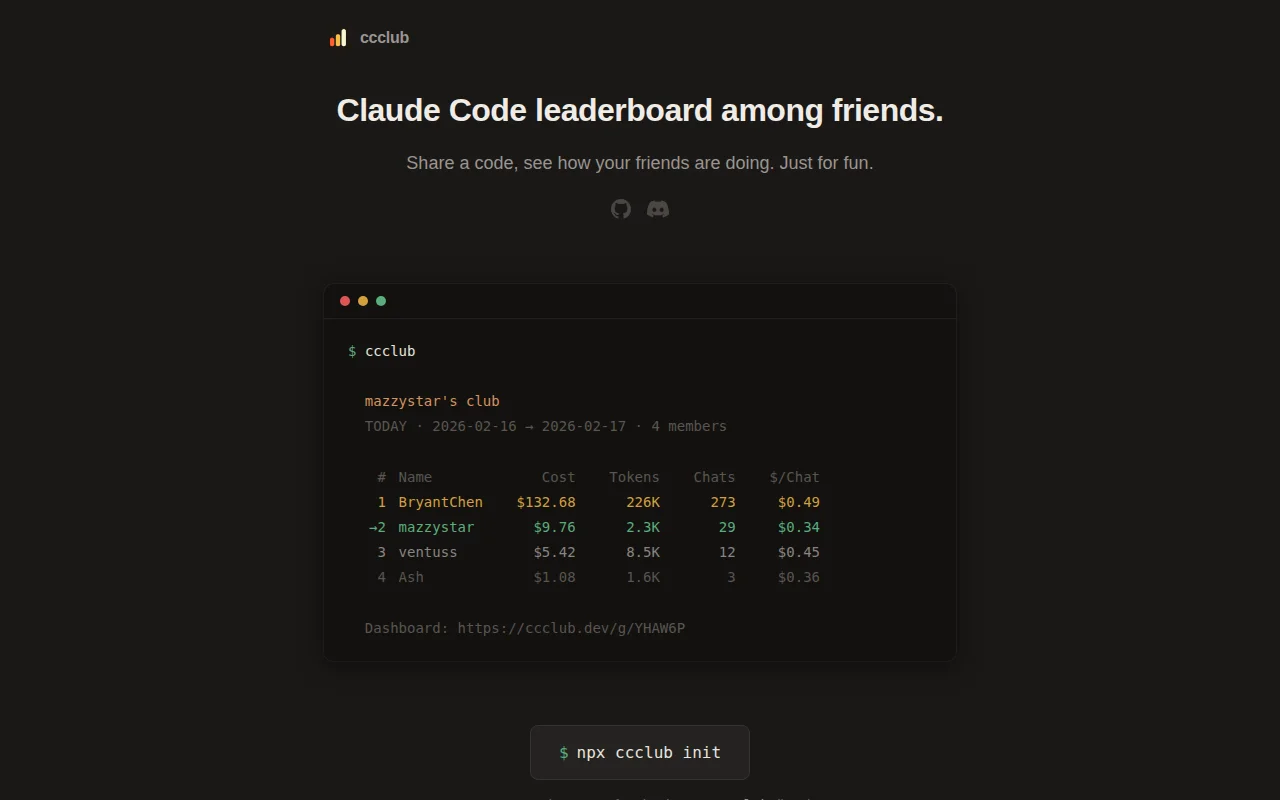
Pulls data straight from ~/.claude/projects and only uploads aggregated metrics (tokens, cost, calls) via a 6-letter invite code flow — nice and surgical. The one-command npx init + join UX and a show-data privacy audit button make adoption trivial, but it’s strictly useful only to groups already using Claude Code and requires trust that aggregated uploads are enough for your threat model.

Target Audience

Developers and AI enthusiasts who use Anthropic Claude Code and want a lightweight, social usage leaderboard

Post Description

My friends and I have been using Claude Code a lot. Someone joked about wanting to see who's the biggest whale, so I built this. Run `npx ccclub init`, get a 6-letter code, share it — done. It only uploads token counts and cost, no prompts or code ever leave your machine.

Source: https://github.com/mazzzystar/ccclub

Similar Projects

CCClub – Leaderboard for Claude Code usage among friends

Turns local Claude Code logs into privacy-preserving 30-minute token summaries and publishes only counters — no prompts, files, or project names ever leave your machine. The combo of a tiny CLI with SessionEnd hooks and a Cloudflare Worker dashboard (per-group pages, auto-refresh, opt-in global board) is a smart, low-friction approach to sharing usage data. If you care about tracking AI spending socially, this scratches that exact itch without the usual signup overhead.

Niche GemShip It
mazzystar
503mo ago
Developer Tools●●Solid

cc-costline – See your Claude Code spend right in the statusline

It does one thing and does it cleanly: inject a compact statusline that shows tokens → dollar estimate, context usage coloring, 5h/7d limit progress, and a rolling period total (with optional ccclub rank). The zero-config behavior — silently omitting integrations you don't have, auto-reading OAuth from the macOS keychain, and writing safe hooks into ~/.claude/settings.json — is smart and pragmatic. This is narrowly useful (only Claude Code users), but the UX decisions (color thresholds, single-line density, cache strategy) show real attention to terminal workflows.

Niche GemSolve My Problem
ventuss_ovo
203mo ago