Developer Tools●●Solid
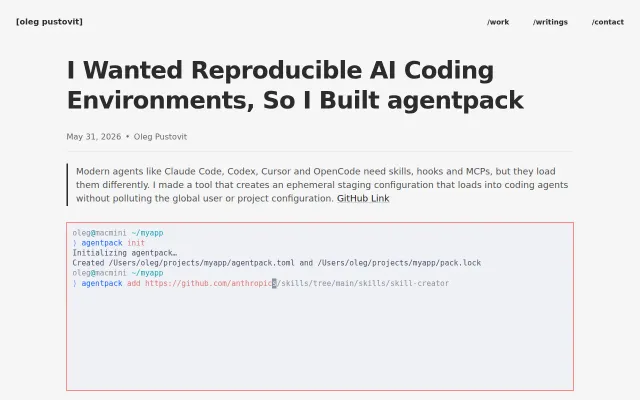
Agentpack – isolated config layers for Claude Code, Codex, and OpenCode
Ephemeral config staging for AI agents when each harness loads skills differently.
Solve My ProblemNiche Gem
nexo-v1
411mo ago
Single command. Isolated environment. No setup required.
Wraps Claude Code in Docker with zero config, but devcontainers and manual isolation already exist.
Developers using Claude Code who want safe, isolated execution without manual Docker setup.
devcontainers · Docker Compose · Nix
The obvious fix is containers. But every existing approach has painful tradeoffs: - Dockerfile per project: you're now maintaining infrastructure just to use your AI assistant - devcontainer: complex config, slow to set up, breaks differently per IDE - Manual docker run: env vars don't forward, SSH keys aren't available, clipboard copy/paste stops working inside Claude sessions, and localhost:8080 from your host is unreachable from inside the container
I wanted full isolation with zero configuration. ccc (claude-code-container) handles all of this automatically, without any configuration: npm install -g claude-code-container ccc # that's it
What it does: - Creates a per-project container (named by path hash, so --continue/--resume work correctly) - Forwards host env vars, locale, timezone automatically - Mounts SSH keys and SSH agent (git push just works) - Transparent localhost proxy so Claude can reach your host's dev servers at localhost:3000, :8080, etc. even from inside the container - Clipboard works normally in Claude sessions - mise integration for per-project Node/Python/Java/Go versions - Container auto-stops when the last session exits - Chromium + chrome-devtools MCP pre-configured: Claude can open a browser, navigate pages, take screenshots, run JavaScript, and interact with your web app autonomously -- no extra setup
The transparent localhost proxy was the hardest part -- it uses iptables on Linux and a userspace proxy on macOS/Windows (Docker Desktop doesn't support --network host), with automatic fallback to host.docker.internal.
GitHub: https://github.com/Luxusio/claude-code-container
Would love feedback, especially from people who've tried other approaches to this problem.
Ephemeral config staging for AI agents when each harness loads skills differently.
Maps dangerous permission flags from multiple agents into one --ikwid switch to skip permissions.
Single Go binary: Telegram → Claude agents in isolated Docker with swarms, memory, Nix.
Auto-detects docker-compose.yml so agents can test against real database dependencies.
Docker sandbox for Claude Code's dangerous flag when Anthropic won't let you run it bare.
Docker wrapper for Claude Code when you could just use devcontainers or native install.