Back to browse
GitHub Repository

Many external monitors connected via HDMI or DisplayPort have fixed-volume audio output — macOS shows the volume slider grayed out

4 starsSwift

I wrote a macOS C++ audio driver to fix HDMI volume controls

by chenjy16·Mar 18, 2026·6 points·0 comments

AI Analysis

●●●BangerSolve My ProblemWizardry

Free SoundSource alternative that finally makes HDMI volume keys work again.

Strengths
  • CoreAudio HAL plugin avoids flaky DDC/CI monitor communication protocols.
  • Shared memory ring buffers minimize latency between virtual driver and host.
  • Code signed and notarized builds reduce macOS security prompt friction.
Weaknesses
  • SoundSource offers more features like per-app volume and advanced routing.
  • Requires installing a driver, which some security-conscious users may avoid.
Target Audience

Mac users with external monitors or USB DACs

Similar To

SoundSource · eqMac · MonitorControl

Post Description

Hi HN, If you’ve ever plugged an external monitor (HDMI/DisplayPort) or a USB DAC into a Mac, you probably know the frustration: the volume keys instantly die, the volume slider greys out, and macOS throws a icon at you. Apple strictly treats digital outputs as "Fixed Volume" devices and refuses to apply software gain. I got tired of this, so I built SoundBridge – an open-source, ultra-lightweight system audio router that natively restores volume controls for any external device. Repo: https://github.com/chenjy16/SoundBridge The Problem with Existing Solutions: DDC/CI tools (like MonitorControl): They are great when they work, but they frequently fail if you route through certain Type-C docks, KVM switches, or if the monitor firmware is just buggy. Plus, they don't work for external DACs. Existing Software Mixers (eqMac, SoundSource): They are either heavy (Electron/web-based UI), expensive, or require intrusive Accessibility permissions to intercept the F11/F12 media keys using CGEventTap. My Architecture (How SoundBridge works): I wanted a solution that feels 100% native to macOS with near-zero latency. It consists of three parts: The C++ HAL Plugin (Driver): Built on top of libASPL, it creates a virtual "Proxy Device". The magic trick here is that by properly implementing the kAudioDevicePropertyVolumeScalar and kAudioDevicePropertyMute properties at the driver level, macOS natively handles the F11/F12 keys and pops up the native volume HUD. No Accessibility permissions or keyloggers required. Shared Memory (IPC): The C++ driver streams the intercepted PCM audio and the volume scalar state to the host process via a lock-free ring buffer (using std::atomic and mmap) in /tmp/. The Swift Host (AVAudioEngine): A lightweight background daemon reads from the ring buffer, applies the software gain (using linear scaling to match macOS's perceived logarithmic volume curve), and outputs the bit-perfect audio to the actual physical HDMI device. Request for Roast: While I’m comfortable with Swift, writing lock-free concurrency in C++ for real-time audio (where a single lock or allocation can cause a glitch) was a steep learning curve. I would absolutely love it if the C++ and CoreAudio veterans here could roast my driver architecture, specifically the RFSharedAudio memory barriers and the IPC synchronization.

Similar Projects

Hardware●●Solid

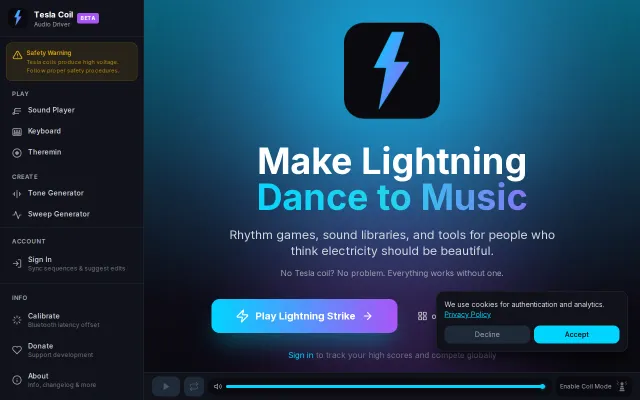
Browser based audio driver for Tesla coils (no coil required)

Turns your phone or laptop into a Tesla-coil music driver with precise square-wave outputs, Bluetooth/3.5mm connectivity and a one-time latency calibration to line up interrupters. The site bundles playful tooling — a rhythm game, theremin, sequencer and a 100+ sound library — and even lets you try everything without owning a coil, which is both a smart onboarding move and a real technical trick. It's clearly built for showmanship and tinkering, though you'll still need proper interrupter hardware and safety sense to go live.

WizardryNiche Gem
skarard_
113mo ago