AI/ML●●●Banger
Auto GPU Kernel – Autonomous GPU-kernel discovery and optimizer
Autonomous kernel optimizer that won MLSys contest with 34.93x speedup.
WizardryBig BrainBold Bet
dogacel
1019d ago
Your smart AI agent to discover all user journeys on a website.
Claude vision + Playwright auto-discovers every user journey without selectors or config.
QA engineers, test automation teams, product managers documenting user flows
Playwright Inspector · Selenium IDE · Gretel.ai (synthetic data)
Repo: https://github.com/apexkid/web-scout-ai
It uses Claude's vision + Playwright to explore a site the way a human would: look at the page, decide what's clickable, click it, repeat. It does this recursively via BFS, building a complete graph of every reachable state. When it finds 50 product cards, it recognizes the pattern and explores one representative instead of all 50. Cookie banners and popups get auto-dismissed. The output is a journey graph, Mermaid diagrams, and a set of replayable JSON files along with network requests fired at every interactions.
Who's can use it and for what:
* QA/Testing — The most obvious use case. Run auto against your staging environment, get a full set of discovered journeys, then replay them after every deploy. No test scripts to write or maintain. When the site changes, re-run discovery instead of fixing selectors. One team told me they went from 2 weeks of manual test writing to a single afternoon of reviewing auto-discovered journeys.
* 3P API auditing — This is the one I didn't expect. The replay engine captures every XHR/fetch request at every step — full request and response bodies. Teams are using this to verify that analytics events (GA4, Segment, etc.) actually fire at the right moments in the right order. "Does our checkout funnel fire the right events at every step?" becomes a replay + grep instead of a manual walkthrough.
* Journey documentation — PMs and designers use the Mermaid diagram output to get a ground-truth map of what users can actually do. Turns out the real journey graph rarely matches what's in the Figma file. Dead ends, loops, and unreachable states show up immediately.
* Post-deploy smoke tests — Run replay all in CI after a deploy. It replays every known journey through a real browser and reports pass/fail per step. No LLM cost, runs in parallel, takes minutes. If a flow breaks, you know which step and which selector failed.
* Competitive analysis — Point it at a competitor's site and get a structured map of their user flows. What journeys do they support? What does their checkout look like? All captured as screenshots and structured JSON.
Autonomous kernel optimizer that won MLSys contest with 34.93x speedup.
Zero-config mDNS discovery plus automatic handling of dicts, numpy arrays and PyTorch tensors is a genuinely handy ergonomics win for quick robot prototypes. JPEG/LZ4 heuristics and non-blocking send() show the author thought about real data types (images, point clouds) rather than just passing JSON. It’s not trying to replace ROS2 — and the README is honest about missing TF/actions and scalability limits — so treat this as a pragmatic tool for small-scale workflows, not a production ROS replacement.
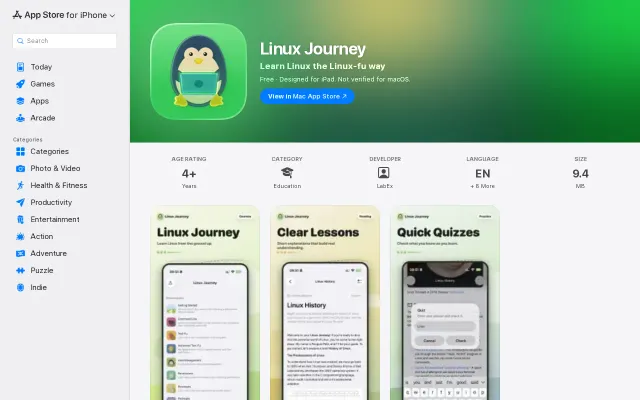
Mobile port of linuxjourney.com — useful for learning on the go but nothing technically novel.
Trust scores and CVE checks beat manual MCP server hunting.
Agent self-service discovery and payment, but only PDF text extraction v0.1.
Autonomous code reasoning using dream cycles instead of standard chat prompts.