Productivity●●Solid
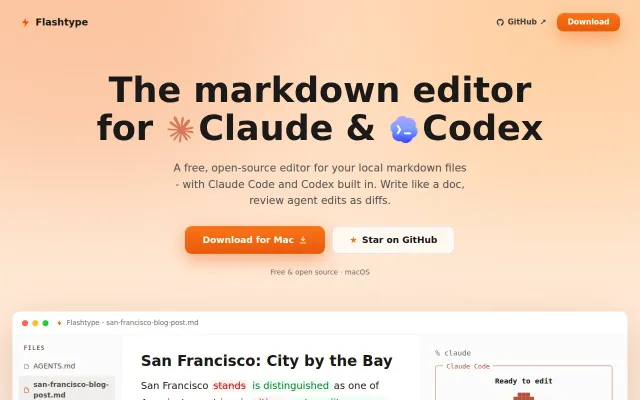
Flashtype – Markdown editor for Claude and Codex with in-line diffs
Inline diffs for AI edits when other editors show static previews only.
Solve My ProblemSlick
samuelstros
5027d ago

Inline diff review for AI edits beats Notion's black-box rewrites.
Writers and teams who want focused document editing without Notion's workspace complexity
Notion AI · Jasper · Grammarly
We built doXmind for people who want docs and AI, but not all of Notion.
Notion is powerful, but if your main use case is writing, collaboration, and AI help inside documents, it can feel like more than you actually need. You end up inside a much bigger workspace of databases, templates, and project management features, when sometimes all you really want is a clean doc editor with strong AI built in.
So we took a different approach.
In doXmind, AI works directly in the document instead of living in a sidebar chat. It reads the structure of what you’re writing, helps with multi-step workflows like research → draft → revise → format, and applies changes inline. Every AI edit shows up as a diff, so you can review and accept or reject each change instead of getting a black-box rewrite.
You can also upload PDFs, research papers, and style guides into a knowledge base. doXmind searches across those sources, pulls relevant context into the writing flow, and cites what it used.
We’ve also built support for cross-document AI across your files, version history with restore, BYOK, diagram support, presentation mode, and export to Markdown, PDF, and Word.
We’re two co-founders bootstrapping from Toronto. We don’t train on your content.
It’s free to try: https://app.doxmind.com
We’re also running an early-bird Pro plan at $2.99/month.
If you’ve wanted something lighter than Notion for writing-focused work, I’d love to hear what matters most to you in a doc editor.
Inline diffs for AI edits when other editors show static previews only.
Terminal Git client with side-by-side diffs and inline editing — git add -p on steroids.
Line-anchored comments on plan documents solve AI agent context drift permanently.
Polished Notion-to-site converter, but Super and Feather already dominate this market.
Line under cursor stays raw while everything else renders in place.
Three-way merge for docs is clever, but Notion and GitBook already own collaborative editing.