AI/ML●●Solid
Token Saving Tinyscreenshot Skill
4x token savings on screenshots with readable text at 800px grey.
Solve My ProblemBig Brain
franze
211mo ago
Skill, agent, MCP, and harness recommendations for Claude Code/custom LLMs: 102,928-node LLM-wiki graph, 91,464 skills, 467 agents, 10,790 MCPs, 207 harnesses, and capped execution recommendations.
Pre-session tool selection via 102K-node graph beats inline token compression.
AI agent developers, Claude Code users, engineers building with MCP servers
LangChain tool selection · Continue.dev · MCP Registry
Token cost has started to become a high topic of concern to all of us. I tried a few (awesome) tools such as rtk, caveman, and the recent (hillarious but effective) ponytail. What they usually do, is in-line token reduction, e.g. try to compress requests / responses as much as possible.
But then it hit me (and I’m sure others had similar ideas) - just like we have routers that pick the right model, why not have something that will also narrow down the amount of available tools, skills and mcps based on repo/context?
People usually accumulate skills, agents, MCP servers, harnesses, prompts, repo instructions, and local scripts. I’m not saying we are all hoarders, but we sort of are. When did you remove a skill recently? After a while, the model has way too many options to choose from.
ctx tries to fix that by selecting context before the session gets bloated.So no, it doesn’t cleanup your messy garage, but it gives you magic glasses that let you focus only on the tools you need.
It does it by watching the repo and task, walks a graph of available tooling, and recommends a small top-scored bundle of skills, agents, MCP servers, and harnesses.
How does it know? To make sure results are not hallucinated, and repeatable, I curated a list of 91k+ skills, 467 agents, 10.7k MCP servers, 207 harnesses, and built a graph to help ctx make decisions on what to recommend. While I used AI to generate it of course, I curated it and revised it to make sure the data is up to date.
So how this is different from rtk, caveman, ponytail, and similar token-saving tools?
As mentioned above those tools mostly reduce tokens after something is already being used.
rtk compresses command output.
caveman-style tools make the assistant respond with fewer words.
ponytail, is, well, awesome, but again it focuses more on reducing code (YAGNI)
ctx is upstream. It tries to avoid loading irrelevant skills, agents, MCPs, and harnesses into context at all.
So it is not really a replacement. It should work side by side with them!
Use ctx to choose the right tools. Use rtk to reduce terminal-output noise. Use terse-output tools if you want shorter responses.
The goal is simple: save tokens without forcing the user to manually test and compare thousands of possible skills, agents, MCP servers, and harnesses.
4x token savings on screenshots with readable text at 800px grey.
Nested agent summarization cuts token costs ~45% for command-heavy workflows.
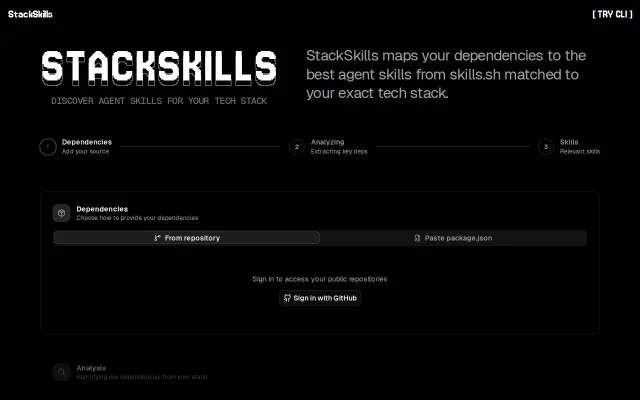
Scans package.json to recommend installable agent skills from the skills.sh ecosystem.
Persona-based prompting cuts tokens 47% without breaking code like Caveman styles do.
Compiles browser sessions into deterministic skills, slashing agent token costs by 90%.
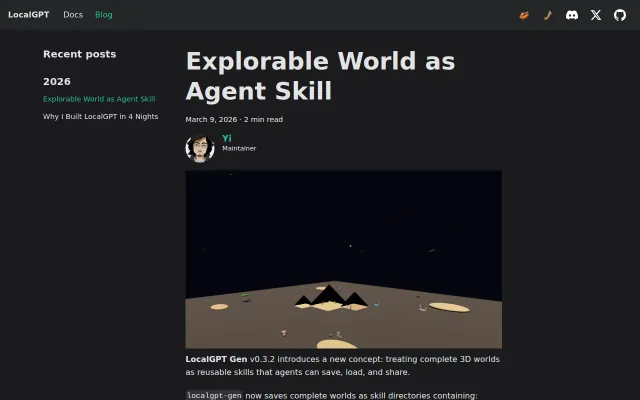
Agent-generated 3D worlds as first-class skills, but 'local generative 3D' is still early.