Infrastructure●●Solid
Portabase: A self-hosted tool for database backup and restore
Docker-friendly database backup UI, but Veeam and pg_dump cover these cases.
Solve My ProblemNiche Gem
rambokdev
403mo ago
PostgreSQL backup tool with Point-In-Time-Recovery and restore verification
240k Docker pulls and most-starred backup repo, but GFS retention is the only novelty here.
DevOps engineers, DBAs, developers managing databases
pgBackRest · WAL-G · Veeam
I want to share the latest important updates for my open source tool for scheduled database backups (with focus on PostgreSQL).
A quick recap:
- Supported databases: PostgreSQL, MySQL, MariaDB and MongoDB
- Many storage destinations: local storage, S3, Google Drive, Dropbox, SFTP, rclone and more
- Notifications: Slack, Discord, Telegram, email, webhook
GitHub - https://github.com/databasus/databasus
Website - https://databasus.com
In 2025 Databasus renamed from Postgresus when it became popular and support for other databases was added.
Primary audience for the project is developers, DevOps engineers and DBAs. Now project is the most GitHub starred repository for backups (surpassed even WAL-G and pgBackRest). There are ~240k pulls from Docker Hub (both of previous Postgresus and Databasus images).
New features:
1. GFS retention policy
GFS is an acronym for Grandfather-Father-Son. It allows to keep last N hourly, daily, weekly, monthly and yearly backups.
This is needed to keep backups over wide period of time within reasonable storage space.
Before only X days or months were supported.
By default now is used:
- Keep 24 hourly backups
- Keep 7 daily backups
- Keep 4 weekly backups
- Keep 12 monthly backups
- Keep 3 yearly backups
Usually this strategy is used by enterprises which needs long period of backups retention.
2. Encrypted backups are stored along with their metadata to decrypt them without Databasus itself
Before, if server with Databasus is destroyed, you were not able to decrypt backups without Databasus itself. So you had to make backups of Databasus internal DB.
Now backups are stored in S3\Google Drive\other storages with meaningful names with their encryption metadata in format:
- {database-name}-{timestamp}-{backup-id}.dump
- {database-name}-{timestamp}-{backup-id}.dump.metadata
In case of server destruction, you need only `secret.key` to decrypt backups and restore via pg_dump, mysqlbackup, mongodump or other tools. It is important for me to not vendor-lock users on my tool (even despite the fast it's OSS)
Full guide - https://databasus.com/how-to-recover-without-databasus
Docker-friendly database backup UI, but Veeam and pg_dump cover these cases.
Universal syntax sounds neat until you hit MongoDB's document model vs SQL.
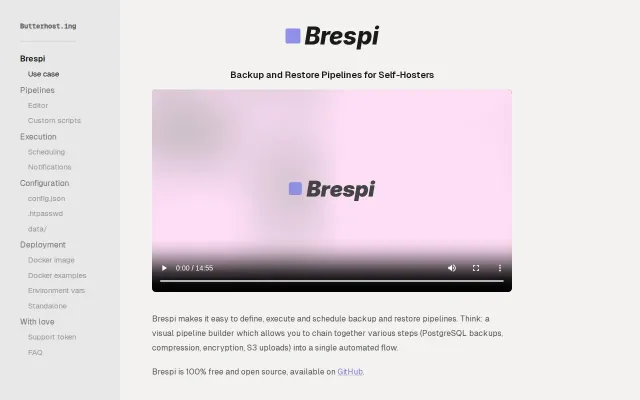
Visual pipeline builder beats stitching together shell scripts and cron jobs.
GitHub integration fetches migrations without CI/CD job overhead.
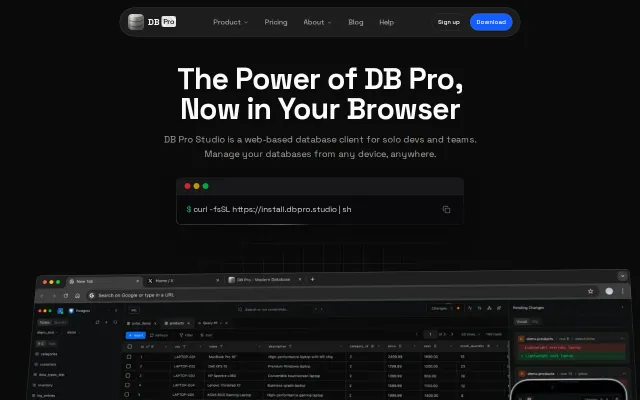
Runs in the browser, ships as a Docker image, and emphasizes shared connections, collaborative queries and dashboards — nice for teams that want DB access without handing out credentials. The UI in the screenshot looks thoughtful (mobile-ready panels, query editor, change diffs), but the product sits in a crowded niche; the site should call out concrete differentiators like RBAC, audit logging, connection pooling or performance to justify switching from existing tools.
Gzip breaks dedup; this stores uncompressed snapshots on BTRFS for 85% savings.