Other○Pass
32M lines of AI code – GED to AGI
208 projects listed, zero depth—rename your fork and call it a collection.
lordwilsonDev
203mo ago
This CLI tool provides an automated way to organize your files on your local machine.
File auto-organizer by extension—rm/mv already do this, just less convenient.
Desktop users with cluttered directories (Downloads, Desktop folders)
Hazel · Windows File Organization · AutoSort shell scripts
The idea came from staring at my messy “Downloads” folder and thinking: what if I could fix this with a single command?
The tool is intentionally minimal and opinionated:
- It groups files into predefined categories (Images, Documents, Archives, Code, etc.)
- It never deletes or overwrites anything
- It stops execution if a filename collision is detected
- It only operates inside the current working directory
- It works out of the box, but also includes optional flags like --only, --exclude, and --preview
One interesting lesson was around hidden/system files.
In early versions, any unrecognized extension was moved into an “Others” folder. That worked — until I enabled hidden files and realized system files were being moved too.
That forced me to rethink what “safe by default” really means. Now the tool only moves explicitly whitelisted extensions.
Another issue I underestimated was filename collisions. Currently, if a file already exists in the target folder, execution stops and shows an error.
I’m now thinking about:
- Whether to implement safer/atomic move strategies
- How to handle large numbers of files more robustly
- Whether user-defined extension mappings are worth the added complexity
It’s built with plain Node.js (no TypeScript), using minimal dependencies (Chalk and Ora).
I’d really appreciate feedback, especially around:
- Filesystem edge cases I might not be considering
- Safer move strategies
- The trade-off between minimalism and flexibility in CLI tools
208 projects listed, zero depth—rename your fork and call it a collection.
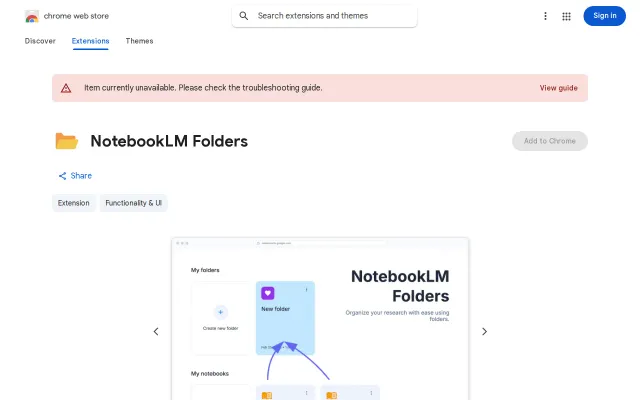
NotebookLM folder organization when Google could ship this natively in days.
Local file organizer with rollback journal, but competes with existing tools like Hazel and AutoSorter.
Obsidian/Notion alternative: skip hierarchies, just mark lines as data and query later.
Curated prompt library for data roles instead of generic collections.
Scrappy v1 with dangerous setup flags and zero stars on GitHub.