Developer Tools●●Solid
Git-worm, the simple worktree manager
Reflink strategy for directories with copy fallback is clever — raw git worktree doesn't do this.
Niche GemCozy
thatxliner
202mo ago
Shadow history for git-excluded files solves the 'lost local notes' problem.
Developers using AI coding assistants in team repos
git info/exclude · private-git-ignore
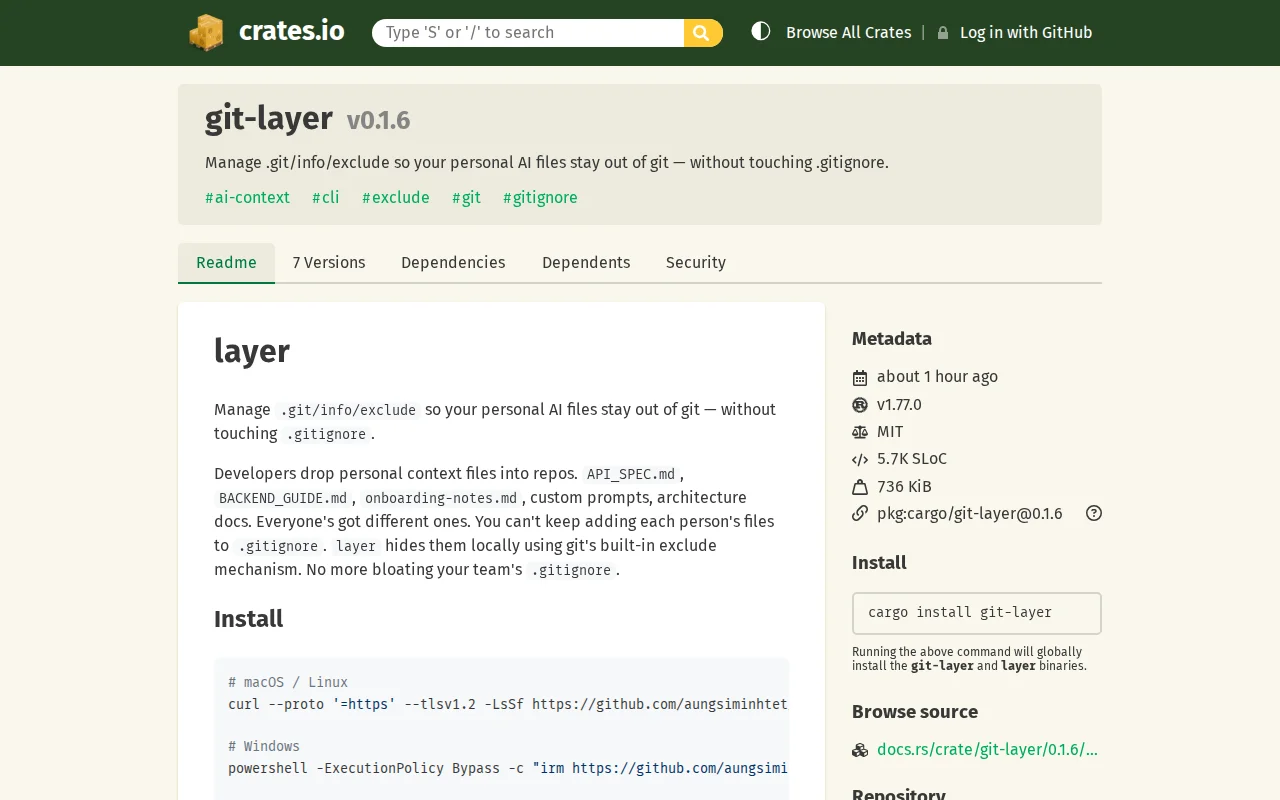
It manages .git/info/exclude so you can keep local-only files in a repo without adding them to the shared .gitignore.
This came from a normal team repo problem.
People keep their own local files in a repo: API_SPEC.md, BACKEND_GUIDE.md, ARCHITECTURE_NOTES.md, CLAUDE.md, prompt files, scratch notes, temporary investigation docs, and other markdown files with custom names that are useful for one developer but should not be committed.
The usual answer is “just put it in .gitignore”, but that gets messy fast because these files are different for each person. The shared .gitignore gets bigger and noisier for everyone else.
Git already has .git/info/exclude for local-only ignore rules, but most people do not really manage it directly.
So I made a CLI for it.
Example:
cargo install git-layer
layer add API_SPEC.md BACKEND_GUIDE.md my-notes/ layer status
The files stay on disk, but disappear from git status.
One thing that also mattered for me is that tools like Claude Code, Codex, and Cursor often respect git ignore state in their repo view and file suggestions.
So even if a hidden file can still be used when referenced directly, it may stop showing up naturally in autocomplete, file pickers, or repo context. Sometimes I want those files hidden, and sometimes I want to temporarily show them again.
So it also has simple on/off commands:
layer off layer on
Another issue I ran into was history. Once a file is hidden from Git, Git cannot really help you track changes to it anymore. If an AI tool rewrites part of it badly, deletes useful content, or you want to recover an older version, normal Git history is gone.
So I added local snapshot/history for layered files too.
Still a small tool, but it has been useful for my own workflow.
Repo: https://github.com/aungsiminhtet/git-layer
Curious if other people have the same problem, or if you handle it differently.
Reflink strategy for directories with copy fallback is clever — raw git worktree doesn't do this.
Adds schema validation and drift detection to SOPS without replacing the encryption engine.
Config sync via Git for Claude Code, but dotfiles already solve this generically.
Temporary decryption with ctg run deletes plaintext after command, unlike sops or git-crypt.
Agent built x402oracle to verify services before payment, solving real coordination problems.
Git-native i18n with segment overrides for A/B testing, competing with Lokalise.