Productivity●●Solid
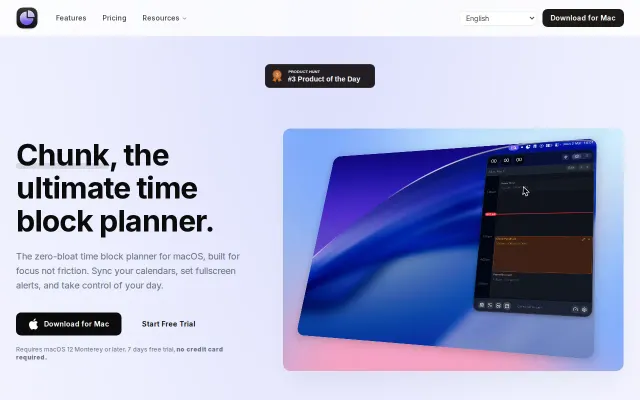
Chunk – time-block your day from the macOS menu bar
Local MCP server lets Claude plan your day — native Mac app in a crowded time-blocking space.
SlickSolve My Problem
dudleyspence
201mo ago
Menu bar time-blocking beats dashboard apps, but faces stiff competition from Sunsama.
Knowledge workers, macOS users, focus-focused individuals
Sunsama · Akiflow · Motion
Key things I built into it:
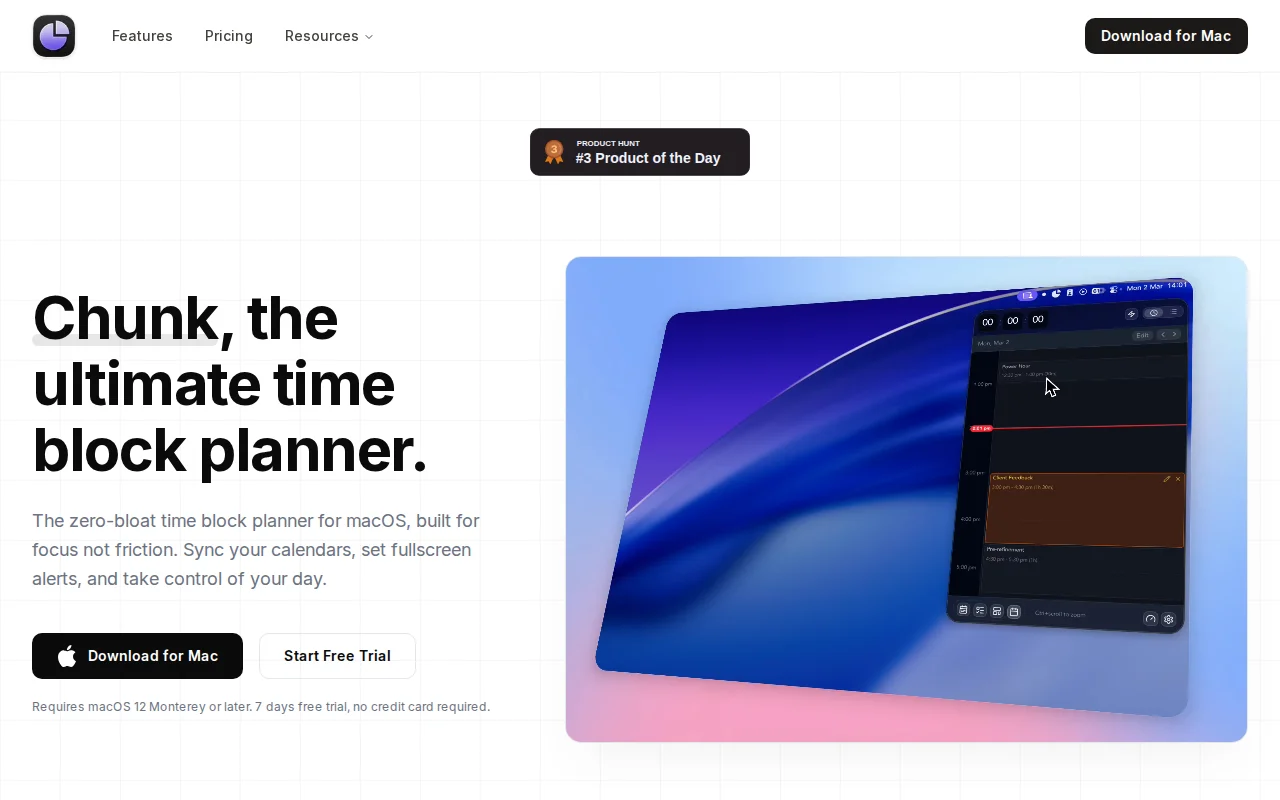
- Drag-to-create/move/resize time blocks on a 24-hour timeline, with a live countdown in the tray icon - Two-way sync with Google Calendar and Outlook (create, move, resize, delete events back to source); Apple Calendar read-only - Things-style three-column task sidebar: lists | tasks | day view, with Apple Reminders integration so you can drag reminders onto the timeline - Templates + Routines – build a reusable day structure and auto-apply it on chosen weekdays - Fullscreen notifications that flash the block name across your entire display at task transitions - Claude AI integration via a local MCP server – Claude can read/create/edit your schedule, todos, and templates. Everything runs on-device; nothing leaves your Mac except what Claude itself processes - Built with Tauri 2 (Rust backend + React/TypeScript) so it's fast and lightweight, not Electron
It's a paid app (one-time purchase) with a free trial. No card required to try it – just download and run.
Happy to answer any questions about the implementation
Local MCP server lets Claude plan your day — native Mac app in a crowded time-blocking space.
Git sync for Obsidian writers who refuse to learn the command line.
Read-only Keychain access means zero token management overhead for multi-account users.
Scrapes Claude's undocumented API to put usage in your menu bar—fragile but useful.
Notch pet that lives in your MacBook notch while tracking Claude token usage.
Reads cookies directly; no auth dance, no Electron, pure native macOS.