AI/ML●●●Banger
Drive any macOS app in the background without stealing the cursor
Background macOS automation without cursor theft beats VM workarounds.
WizardryZero to OneBold Bet
frabonacci
192431mo ago
Open-source infrastructure for Computer-Use Agents. Sandboxes, SDKs, and benchmarks to train and evaluate AI agents that can control full desktops (macOS, Linux, Windows).
Background macOS automation without cursor stealing—works on Figma and Blender where AX APIs fail.
Developers building computer-use AI agents
Anthropic Computer Use · Browser Use · OpenInterpreter
I hacked this project together last weekend, inspired by the Codex Computer-Use release and lessons learned from deploying GUI-operating agents for our customers.
The main problem: when a UI automation process controls a desktop app today, it usually takes over the human’s session. Your cursor moves, keyboard focus gets stolen, windows jump to the front, and you have to stop working until the agent is done. That is why we have historically avoided encouraging users to run these processes directly on their host machine, instead relying on VMs or GUI containers for concurrency and background execution.
But computer-use - the tools we give agents to operate computers like humans - does not scale cleanly that way. As models get smarter, agents need to share hosts safely, run in the background, and avoid collisions with the human or other agents using the same machine.
We realized macOS has no first-class API for "drive this app without touching the cursor". CGEventPost routes through the hardware input stream, so it moves your cursor. CGEvent.postToPid avoids the cursor warp, but Chromium treats those events as untrusted and silently drops clicks at the renderer boundary. Activating the target app first raises the window and pulls focus, defeating the point of background execution.
Cua Driver is our attempt at a real fix: a background computer-use driver for macOS that lets an agent click, type, scroll, and read native apps while your cursor, frontmost app, and Space stay where they are. The default interface is a CLI, so it is easy to script or call from any coding agent shell.
Try it on macOS 14+:
/bin/bash -c "$(curl -fsSL https://raw.githubusercontent.com/trycua/cua/main/libs/cua-d...)"
The first internal use case was delegated demo recording. We ask Claude Code to drive an app while 'cua-driver recording start' captures the trajectory, screenshots, actions, and click markers. The result is an agent-generated product demo, Screen Studio inspired.
Other things we have used it for:
- Replacing Vercel’s agent-browser and other browser-use CLIs. With Claude Code and Cua Driver, you do not need Chrome DevTools Protocol at all.
- A dev-loop QA agent that reproduces a visual bug, edits code, rebuilds, and verifies the UI while my editor stays frontmost.
- Personal-assistant flows that use iMessage from Claude Code, Hermes, or other general-purpose agent CLIs.
- Pulling visual context from Chrome, Figma, Preview, or YouTube windows I am not looking at, without relying on their APIs.
What made this harder than expected:
- CGEventPost warps the cursor because it goes through the HID stream.
- CGEvent.postToPid does not warp the cursor, but Chromium drops it at the renderer IPC boundary.
- Activating the target first raises the window and can drag you across Spaces.
- Electron apps stop keeping useful AX trees alive when windows are occluded without a private remote-aware SPI.
The unlock was SkyLight. SLEventPostToPid is a sibling of the public per-PID call, but it travels through a WindowServer channel Chromium accepts as trusted. Pair it with yabai’s focus-without-raise pattern, plus an off-screen primer click at (-1, -1), and the click lands without the window ever raising.
One thing we learned: the right addressing mode depends on the app. Native macOS apps usually have rich AX trees, Chromium-family apps often need a hybrid of AX and screenshots, and apps like Blender or CAD tools may expose almost no useful AX surface. The mistake is defaulting to pixels everywhere - or defaulting to AX everywhere.
Long technical writeup: https://github.com/trycua/cua/blob/main/blog/inside-macos-wi...
I would like feedback from people building Mac automation, agent harnesses, or accessibility tooling. If it breaks on an macOS app you care about, that is useful data for us.
Background macOS automation without cursor theft beats VM workarounds.
Background macOS automation without focus stealing via SkyLight.framework.
Background-safe routes let agents click windows without hijacking your mouse.
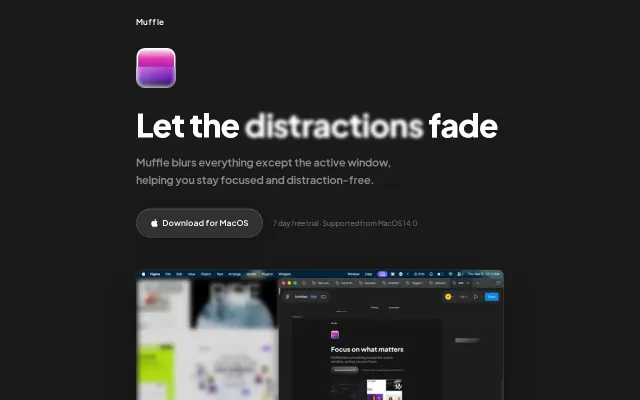
Blur-to-focus for macOS, but F.lux and Rectangle already own this space.
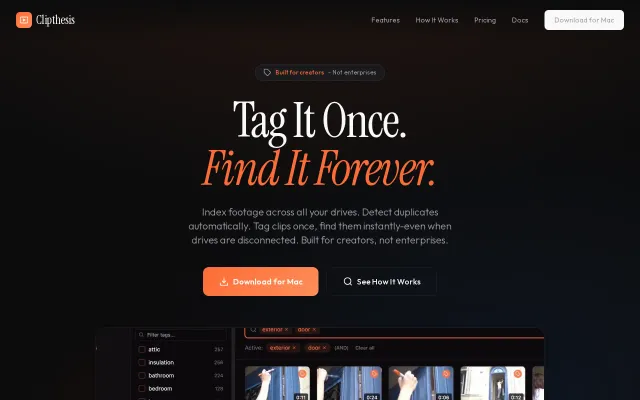
The neat trick here is indexing and deduplicating footage while still letting you search tags and preview clips when drives are disconnected — that UX quirk alone solves a real pain for solo editors. Hover-scrub thumbnails, AND-tag searches, and import helpers (select new only) show the author actually used this workflow, but it's not reinventing DAM software — it's a focused, locally-run tool for a specific audience. Mac-only and no team/cloud features limit its scope, but for one-person workflows this hits the right marks.
Menu bar dashboard for Pi agents, but only solves status visibility for one platform.