Developer Tools●●●Banger
Monghoul – Desktop MongoDB GUI with schema-aware autocomplete and MCP
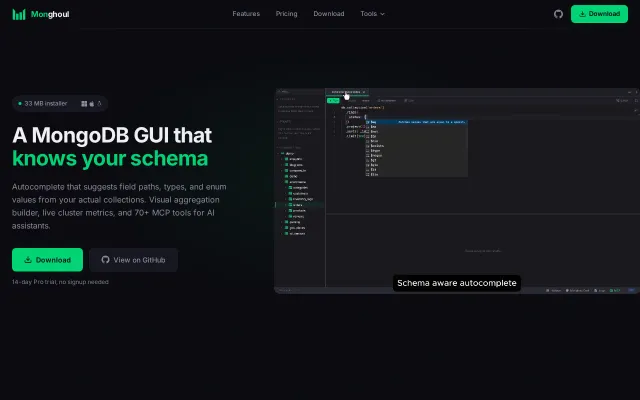
Schema-aware autocomplete that knows your enum values, not just field names.
SlickSolve My ProblemWizardry
kontsedal
601mo ago

Polished GUI with GridFS streaming, but Compass and Studio 3T already dominate this space.
Full-stack developers and DBAs working extensively with MongoDB
MongoDB Compass · Studio 3T · TablePlus
The goal was to combine a visual workflow with the depth needed for real development work. Most existing MongoDB tools tend to optimize for either beginners or power users, but not both in the same interface.
Core features:
Query builder that supports full MongoDB query expressiveness + being able to drag and drop elements from the collection to the query builder
Form based aggregation builder with synchronized JSON view
Schema visualization and generation tools
GridFS viewer with MP4 streaming support (streaming mp4 was pretty tricky )
IDE style split panels and multiple workspaces
Import/export transformations (mask/edit fields during export )
Tree view ( finding a way to expand recursively thousands of nodes was a challenge)
Table view (I had to build my own take on AG Grid focusing on optimizing horizontal and virtual scrolling to get it to scroll smoothly on thousands of rows and columns)
A lot of the work ended up being performance engineering. It currently loads ~500MB of data into the UI in about 5 seconds on an M1 MacBook. And can even easily display over 20k documents of an average size (12kb) .
Here’s a walkthrough of all its features:: https://www.youtube.com/watch?v=WNzvDlbpGTk Happy to answer questions! Thank you so much!
Schema-aware autocomplete that knows your enum values, not just field names.
Native MongoDB GUI beating Electron apps on RAM and startup time.
Universal syntax sounds neat until you hit MongoDB's document model vs SQL.
AI wrapper on parametric search when DigiKey and Octopart already exist.
Yet another Webflow clone with URL importing, but the market is saturated.
Another Notion clone with a purple gradient — no visible differentiation from login page.